

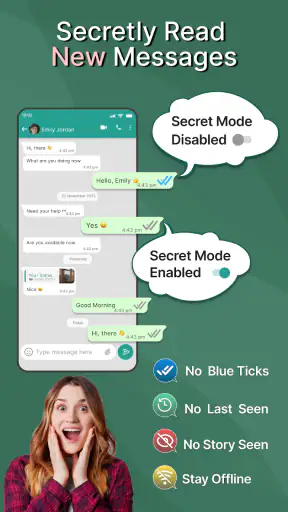
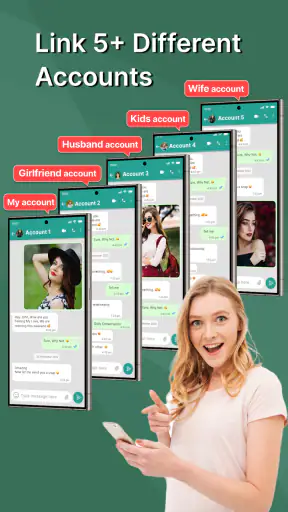
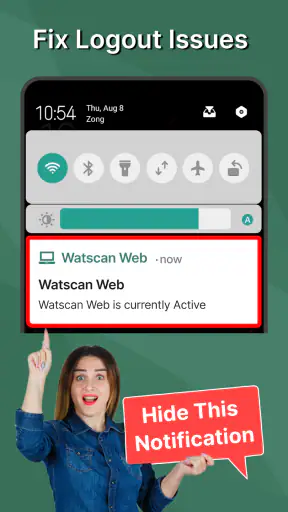
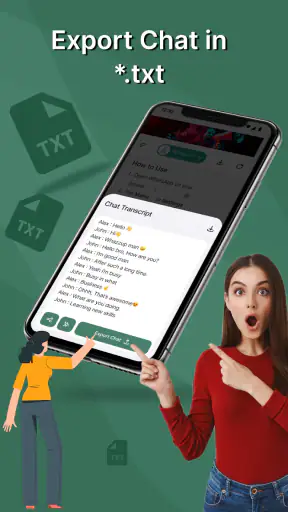
Chat Cloner Secretly View Chat is a communication app with a very specific purpose: it helps you view and sync a chat account on another device by scanning a web QR code. After trying it, my main impression is that it is more of a focused companion tool than a complete messaging platform. It can be useful when you need temporary access to an existing chat environment on a second screen, but it also demands careful attention because convenience, privacy, and account security are closely connected here.
The app is free to install, which makes it easy to test without committing money at the start. Its developer is G.K. Apps Studio, and the app has built a sizeable audience on Android, with more than a million installs and an average score of 4.1 from roughly eleven thousand ratings. Those figures suggest that the idea is easy for many people to understand, although they should not be mistaken for a guarantee that every phone or account setup will behave identically.
How the QR-based workflow feels in everyday use
The central workflow is straightforward in concept. I open the cloner on the device where I want to view the conversation, use its web QR scanning function, and then follow the linking process shown on screen. Once the connection is established, the app is intended to synchronize the chat view with the phone. This approach is familiar to anyone who has used a web version of a messaging service, so there is little learning required.
What matters most is the order in which you work. I recommend having both devices charged, connected to a stable network, and unlocked before starting. QR linking is not the kind of task I would begin while rushing between appointments. A failed scan, a dim display, or a screen that turns off can interrupt the process, and repeating the setup is more frustrating than it needs to be when the two devices are not beside each other.
A realistic example is a person who keeps a primary phone in a bag or at a desk but wants to read incoming conversations from a larger spare device while working. Another is someone moving between two personal devices and needing a temporary synchronized view rather than manually checking the phone every few minutes. In those situations, the app can reduce the small interruptions caused by constantly picking up the main handset.
The useful detail is that this is not a replacement for the original chat service. It acts as a bridge to an existing account experience. That distinction affects expectations: you still need the source device and the relevant chat account, and the quality of the experience depends on the connection between them. If you expect a separate inbox, a new phone number, or an independent messaging identity, this is the wrong type of application.
I also found that the QR step changes the privacy conversation. A QR code may look harmless, but scanning it effectively authorizes a linked session. I would only perform the process on devices I control, avoid public computers, and check the linked-device area of the original messaging service afterward. When I finish using a secondary device, removing that session is a sensible habit. That is not a flaw unique to this app; it is the normal responsibility that comes with web-style chat linking.
Where the app is genuinely helpful
The strongest part of the experience is its narrow focus. Instead of burying the QR scanner inside a large collection of unrelated tools, Chat Cloner Secretly View Chat puts the linking idea at the center. For a user who already understands why they need a second-device view, that directness is valuable. I do not have to learn a new social network or migrate conversations. I am simply trying to mirror access to a chat environment I already use.
It can also be practical for people who read long conversations more comfortably on a larger display. A second device may offer a better keyboard, a more convenient viewing angle, or a less distracting workspace. The app is particularly suited to short-term workflows: checking a conversation while the primary phone is charging, keeping a reference chat visible during a task, or using a spare device during travel.
Another non-obvious advantage is that the QR method avoids the awkwardness of typing account credentials into an unfamiliar companion tool. The linking action is visual and immediate rather than based on copying passwords. That does not make the process risk-free, but it can be easier to understand than a separate login form. I still would not scan codes displayed by an unknown person or on a device I do not trust.
The app is also accessible from an age-rating perspective, carrying an Everyone content rating. That describes the general content classification, not a promise that every use case is suitable for every household. Parents and families should still discuss consent and privacy before linking another person’s conversations or placing a synchronized chat view on a shared screen.
On Android, the app supports devices running version 6.0 or later. That gives it a broad compatibility range, including older phones that may not run newer communication tools comfortably. In practical terms, though, compatibility is only the first checkpoint. A phone can meet the operating-system requirement and still provide a poor experience if its camera struggles to focus on QR codes, its network connection is unstable, or its battery-saving settings interrupt background activity.
The friction I would not ignore
The biggest weakness is not the basic idea; it is the uncertainty that comes with any chat-cloning workflow. A synchronized view can be convenient, but it creates another place where private conversations may appear. If the secondary device is shared, borrowed, left unlocked, or connected to a public display, the privacy risk grows quickly. I would not use this casually on a workplace computer, a hotel television, or a friend’s phone.
There is also a practical dependence on the original chat session. If the source phone loses connectivity, logs out, changes its linked-device state, or otherwise stops authorizing the connection, the secondary view may no longer be useful. This makes the app less suitable for people who need a guaranteed independent archive or uninterrupted access. For that purpose, the official backup and export options of the underlying messaging service are usually a better fit.
The word “secretly” in the app’s name deserves a careful response. I would not interpret it as permission to monitor another person without their knowledge. A QR link is still an account-access action, and using it on someone else’s chats without clear consent can violate trust and possibly local rules. The responsible use case is linking your own account or a device whose owner has explicitly agreed.
Compared with the usual alternatives, the app sits somewhere between an official web client and a generic remote-access utility. An official web or desktop client is normally preferable when the messaging service provides one, because it is designed by the service owner and is easier to recognize as part of the account ecosystem. A remote-control app may offer broader device access, but that broader reach can be excessive when all you need is a chat view. Chat Cloner Secretly View Chat is most appealing when the QR-centered workflow is the exact function you want and you prefer a lightweight companion rather than full remote control.
Another limitation is that the free entry point does not mean every part of the experience is necessarily free forever. The app is listed as free and includes optional in-app purchases ranging from about one dollar to nearly twenty-three dollars per item. I would check the purchase screen carefully before confirming anything, especially if the app presents upgrades, removals, or extra conveniences during setup. The sensible approach is to test the basic workflow first and only pay if it solves a recurring problem for you.
Small habits that make the workflow safer
My first recommendation is to treat every QR scan as an account authorization, not as a harmless camera action. Before scanning, confirm that the code is being shown by the device you intend to link. Afterward, return to the original chat service and inspect its linked sessions. If the new device is not recognizable, remove it rather than trying to troubleshoot it.
Second, use a dedicated secondary device when possible. A spare phone or tablet that stays at home is easier to control than a shared family handset. Keep its screen lock enabled, avoid leaving the chat visible in public, and unlink it when the temporary task is over. This simple routine is more important than any cosmetic setting inside the cloner.
Third, plan around synchronization rather than assuming instant independence. If you need to answer an urgent message, keep the primary phone nearby. If you are reading a long conversation, wait for the secondary view to load before putting the source device away. This avoids the common mistake of treating a linked view as though it were a completely separate account.
Finally, be selective about who should use it. I can see a strong case for a technically comfortable adult managing their own devices. I see a much weaker case for a user who wants to inspect another person’s chats secretly, share a linked screen with several people, or keep a permanent record of conversations without understanding where those messages may remain visible.
Who should choose it, and who should skip it
I would recommend this app to someone who wants a simple QR-based way to access their own chat account from a second Android device. It is especially useful for temporary setups, larger-screen reading, and reducing the need to handle a primary phone during work or study. Its broad Android support also makes it worth considering if your spare device is older but still functional.
I would skip it if your priority is an official, fully supported desktop experience, a standalone backup, or a permanent second account. In those situations, the messaging service’s own web client, desktop application, or backup tools are likely to be clearer choices. I would also avoid it if you are uncomfortable managing linked sessions or if the secondary device cannot be kept private.
The current release is version 6.9, so users should keep the app updated through the normal Android store process rather than relying on old installation files. Updates matter particularly for communication tools because changes in the underlying chat service can affect linking behavior. I would also test the connection after an update instead of assuming that a previously linked device will behave exactly as before.
For a free app in the Communication category, its appeal is easy to understand: it addresses one concrete need without asking users to move their conversations elsewhere. The trade-off is that the same simplicity can hide important questions about authorization, session control, and device privacy. The app works best when the user approaches it as a controlled convenience, not as a way to bypass the normal boundaries of an account.
My final verdict is cautiously positive. Use it as a deliberate companion for your own chats, not as a covert surveillance shortcut. The QR workflow can be handy, the entry cost is low, and the focused design makes sense for temporary second-device access. However, an official web or desktop option remains the better choice when it is available and meets your needs. If you understand the session-based nature of the tool, keep both devices secure, and unlink access when finished, Chat Cloner Secretly View Chat is a practical option for a clearly defined job.


